2019 Honda Odyssey Owner’s Manual — Bluetooth® Audio
Audio and Connectivity
Play streaming or stored audio from your compatible phone when it is paired to Bluetooth® HandsFreeLink ® (see Pairing a Phone). Visit handsfreelink.com (US) to check phone compatibility. Canada customers can phone (855) 490-7351 for any HandsFreeLink® related inquiry. Standard data rates apply with your phone service provider.
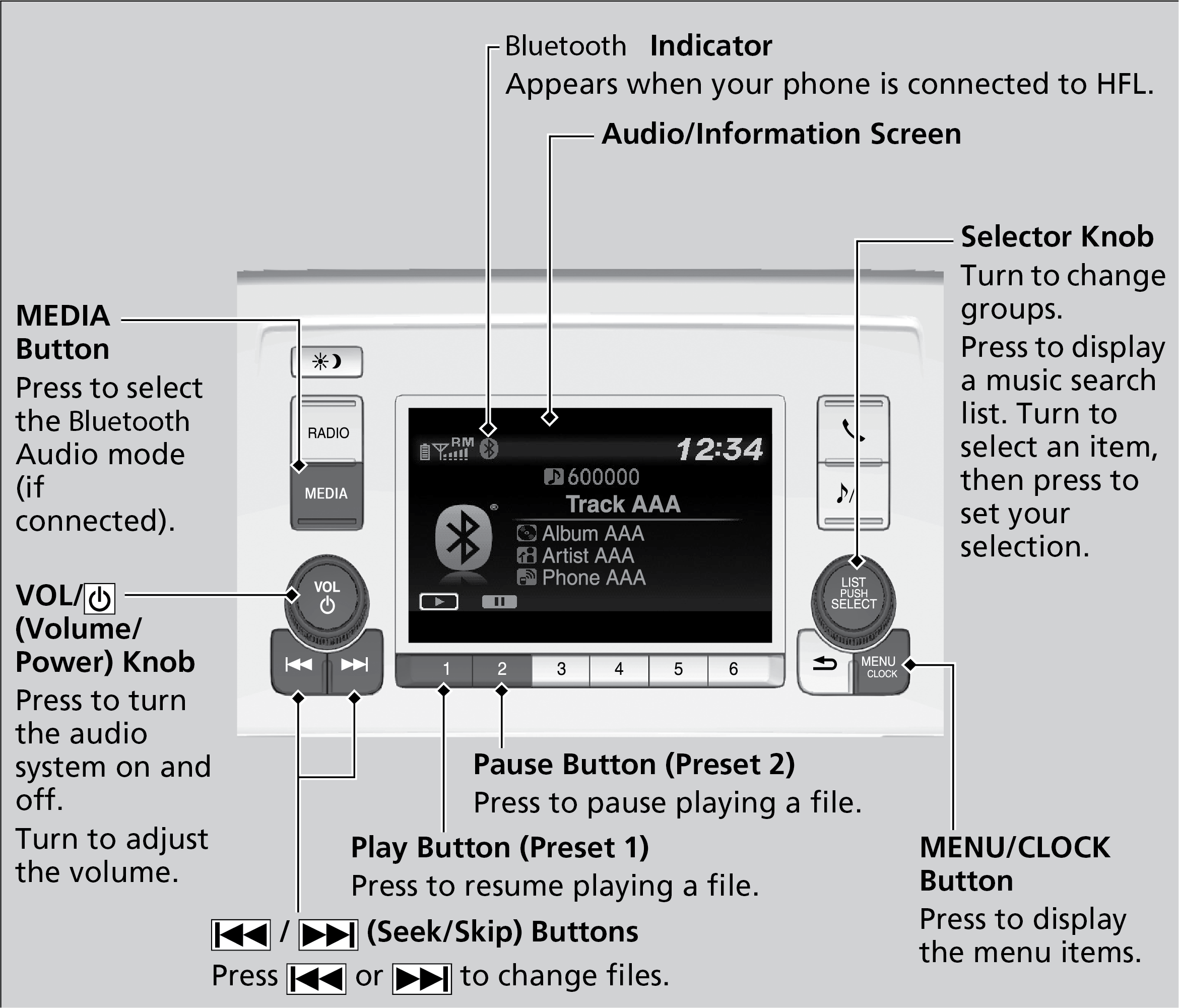
Models with Color Audio
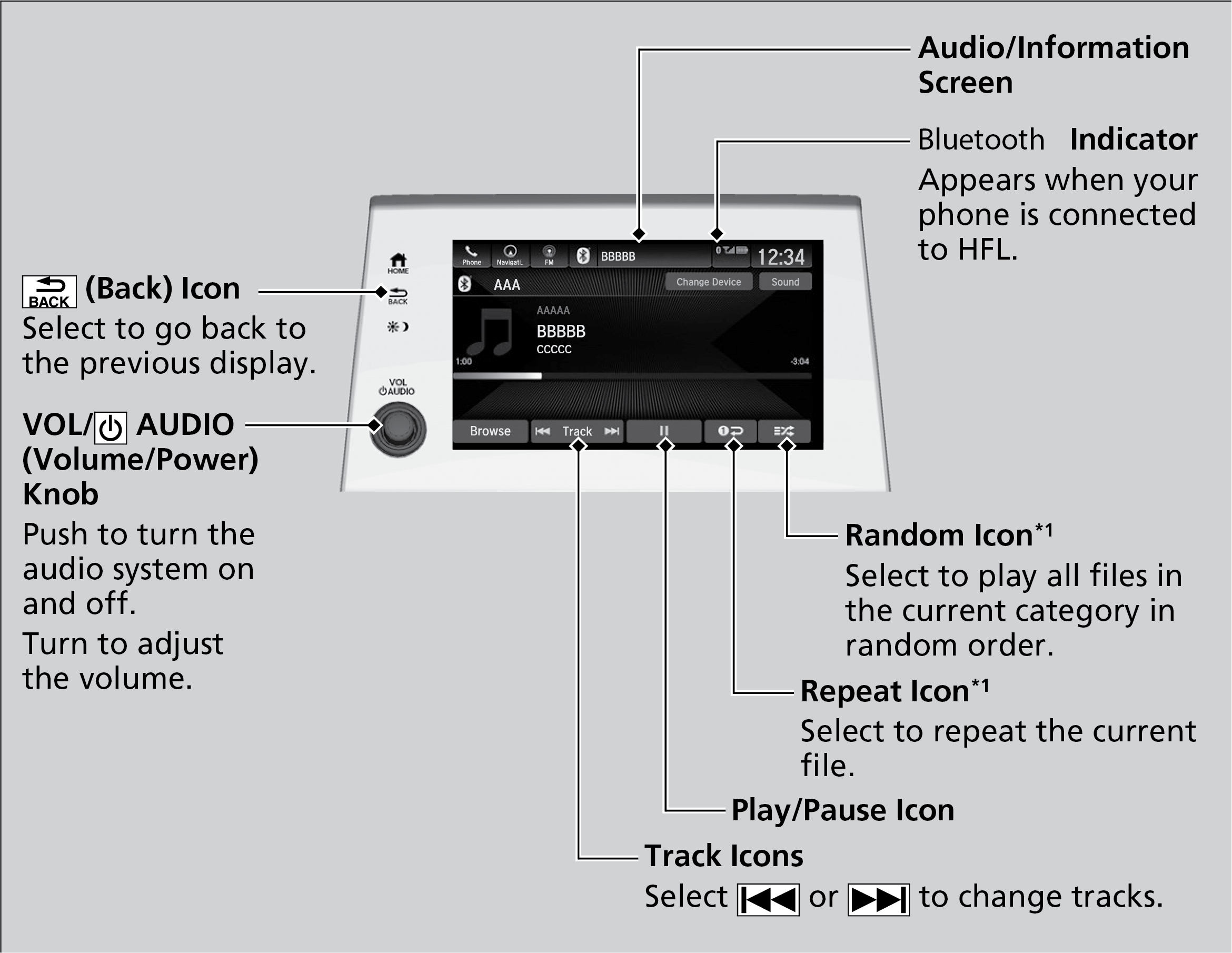
Models with Display Audio
- Searching for Music
Parent topic: Audio and Connectivity
■Searching for Music
Models with Display Audio
- Select Browse.
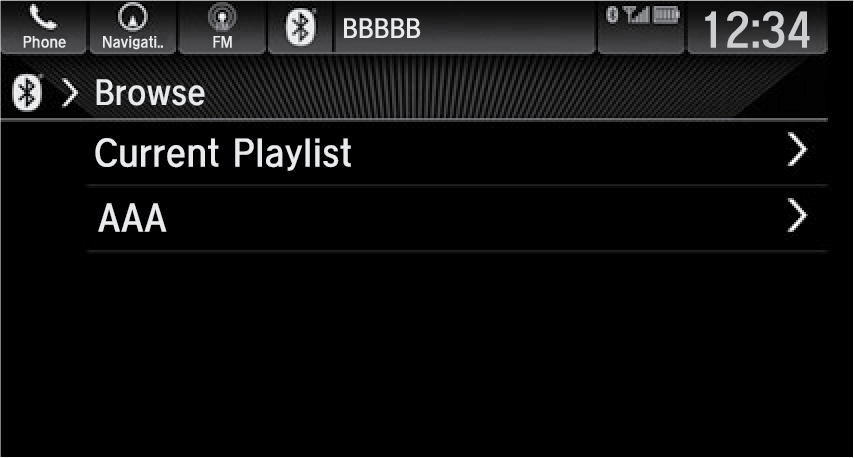
- Select a search category (e.g., Albums).
- Select an item.
Note:
- Make sure the volume on your phone is properly adjusted.
- You may need to enable additional settings on your phone for playback.
- The resume/pause function and remote audio controls are not supported on all phones.
Parent topic: Bluetooth® Audio
Stored owner’s manualImported HTML from the shared Autotk manuals tables. Not an official Toyota site.