2019 Honda Odyssey Owner’s Manual — Managing Apps
Audio and Connectivity
Models with Display Audio
Customize the Home screens by adding, moving, and hiding apps. Use presets to keep frequently used apps at your fingertips.
- Add Apps to a Home screen
- Move Apps
- Hide Apps
- Set Shortcuts
Parent topic: Audio and Connectivity
■Add Apps to a Home screen
- On the Home screen, select All Apps.
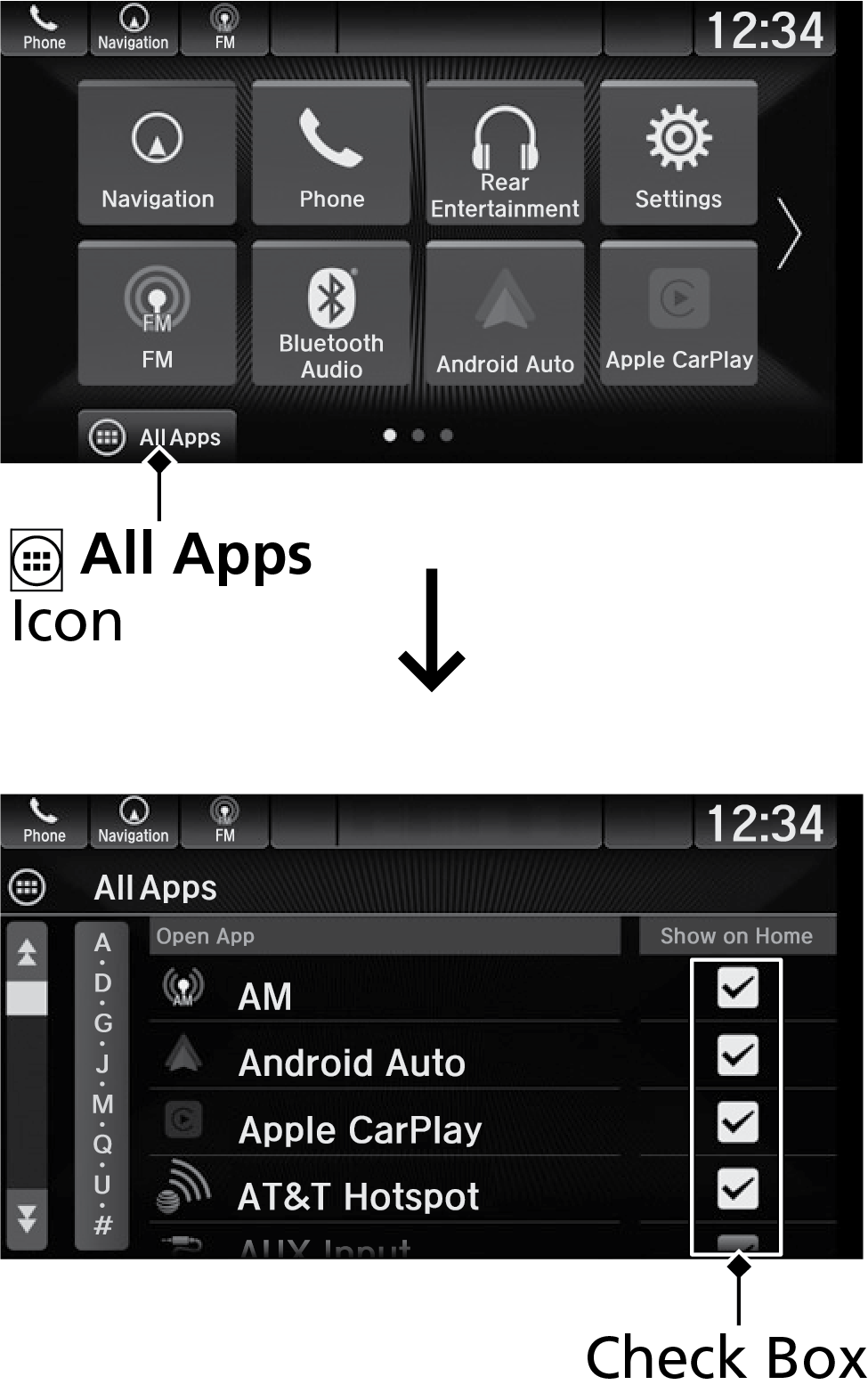
- Check the box for an app you want to add.
Parent topic: Managing Apps
■Move Apps
-
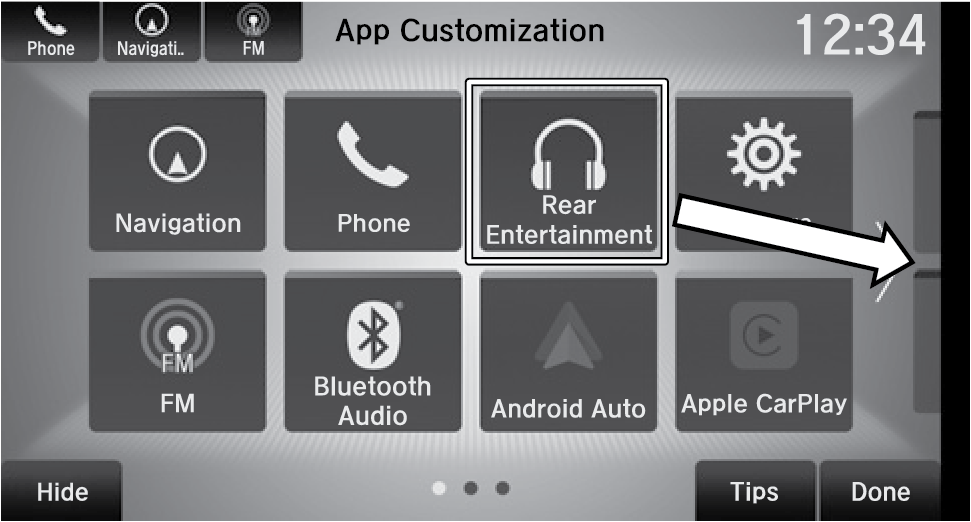
On the Home screen, select and hold an icon.
-
Drag and drop it where you would like it.
- Select Done.
Parent topic: Managing Apps
■Hide Apps
-
On the Home screen, select and hold an icon.
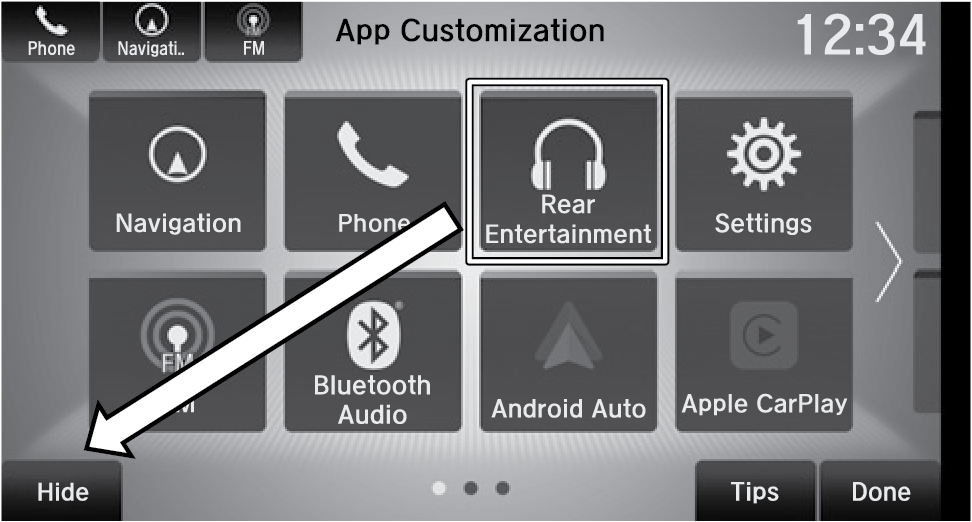
- Drag and drop it on the Hide icon.
- Select OK.Done.
Parent topic: Managing Apps
■Set Shortcuts
-
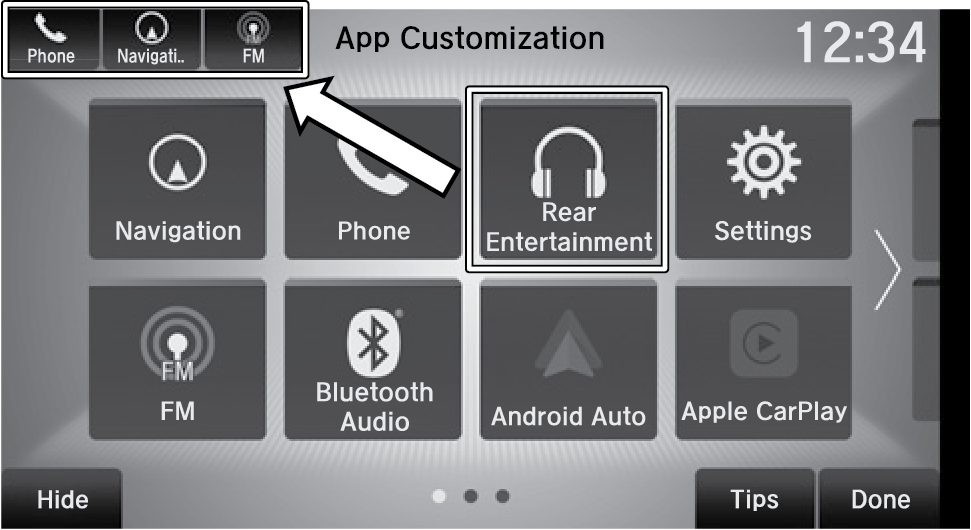
On the Home screen, select and hold an icon.
-
Drag and drop it the upper-left corner of the screen.
- Select Done.
Parent topic: Managing Apps
Stored owner’s manualImported HTML from the shared Autotk manuals tables. Not an official Toyota site.