2018 Honda Odyssey Owner’s Manual — Routing
NAVIGATION*
After a destination is set, you can alter or cancel your route.
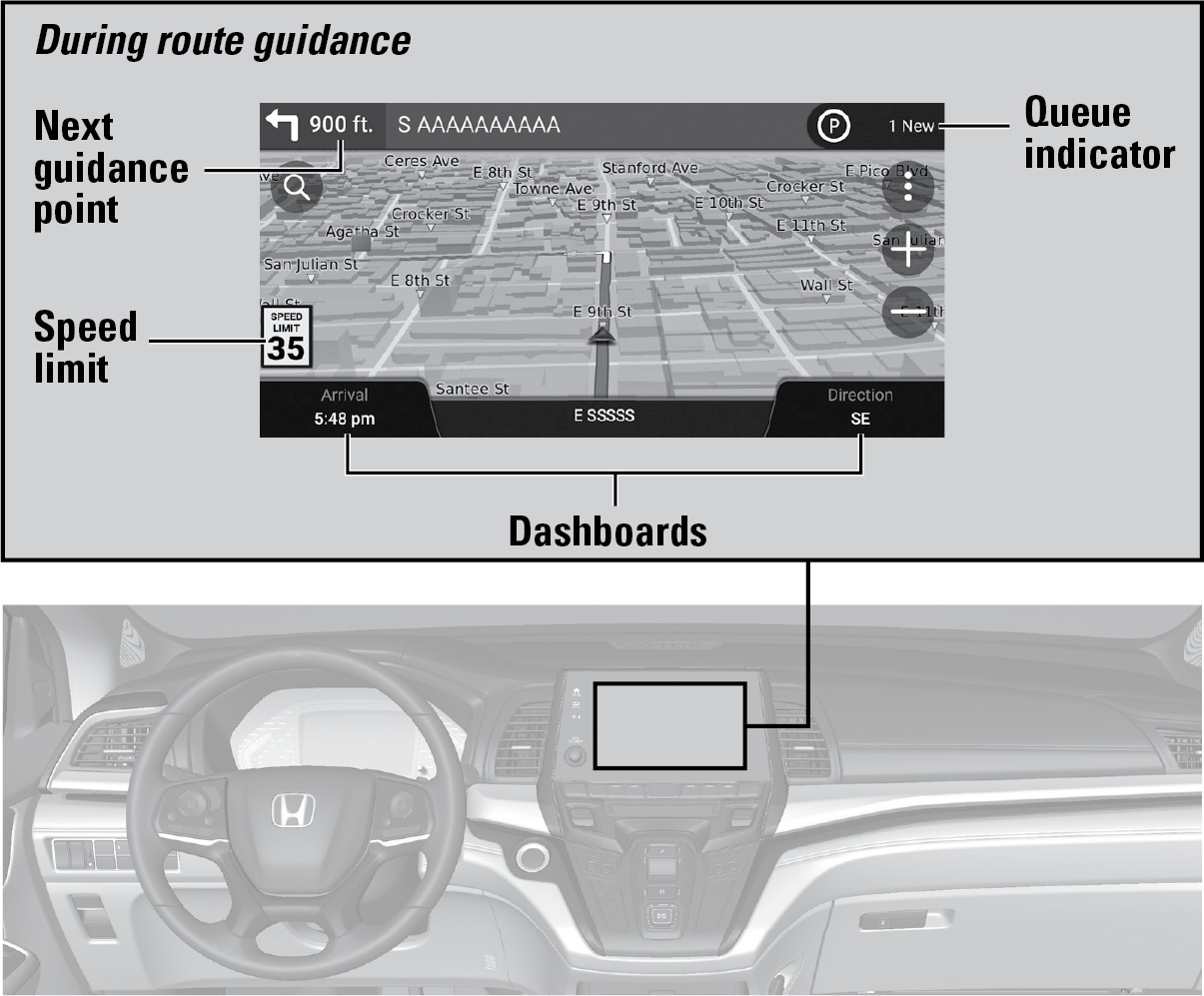
Map Legend
WARNING
Using the navigation system while driving can take your attention away from the road, causing a crash in which you could be seriously injured or killed.
Operate system controls only when the conditions permit you to safely do so.
Traffic
The system calculates routes taking current traffic into account. If traffic conditions change during routing, the system may alter the route if it finds a faster way. Traffic information in Canada is limited.
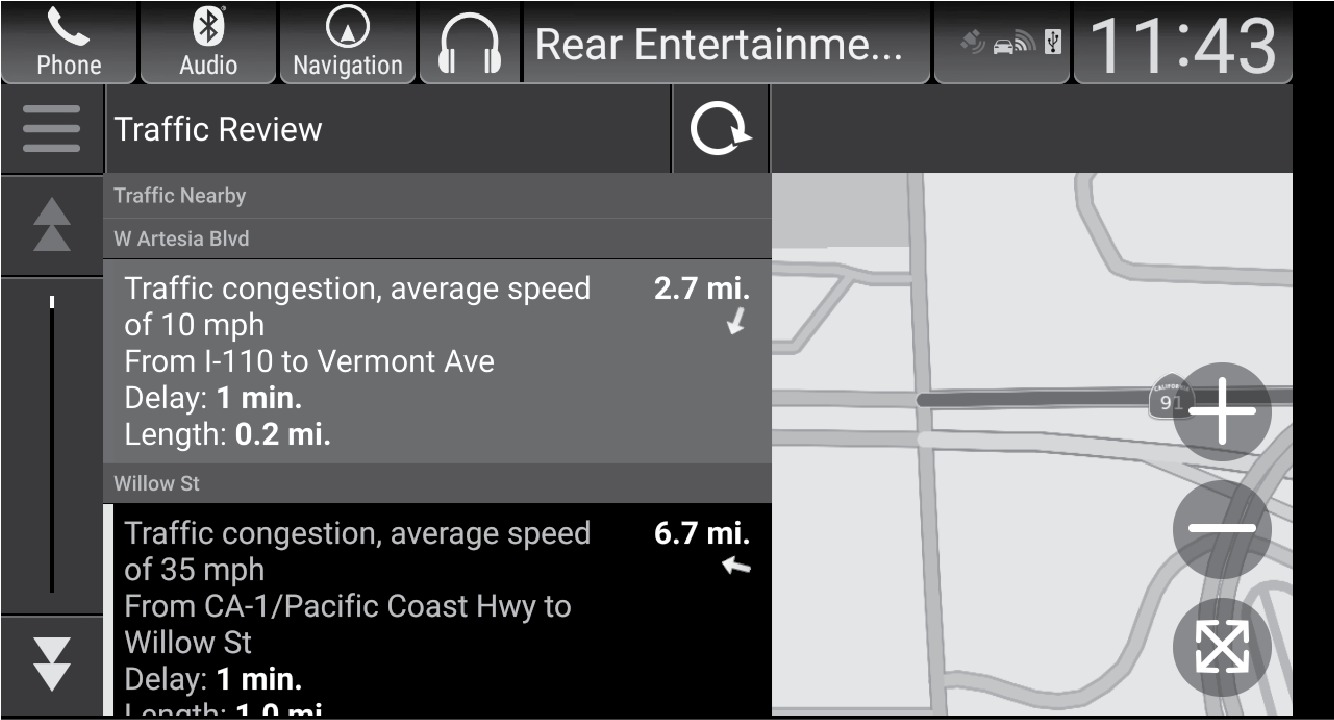
Viewing traffic
- From the map screen, select
 (Map Tools).
 - Select Traffic. Localized traffic reports will display.
- Select Traffic Map. Traffic reports display in a list. Select a traffic report in the list to see a map view of that item.
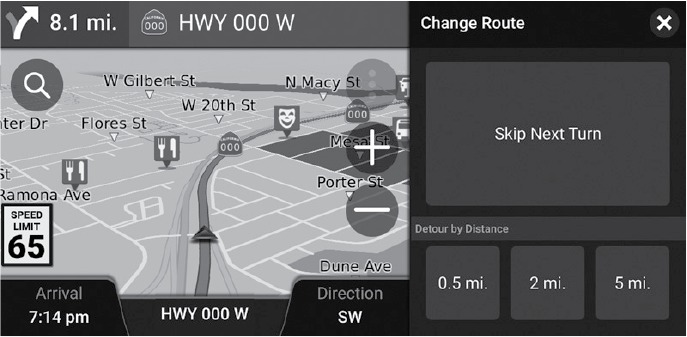
Detouring on your route
- From the map screen, select (Map Tools).
- Select Detour.
- Select the length of the detour.
Related topics:
- Basic Navigation Operation
- Entering a Destination
- Voice Command Index
Stored owner’s manualImported HTML from the shared Autotk manuals tables. Not an official Toyota site.