2018 Honda Odyssey Owner’s Manual — Setting the
VEHICLE CONTROLS
Clock
Adjust the time using the steps described for your vehicle type.
Models with color audio system
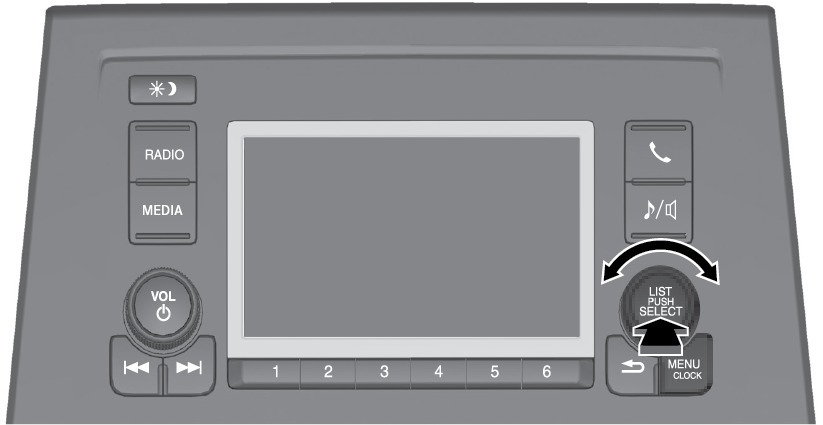
Use the selector knob to make and enter selections.
- Press and hold the MENU/CLOCK button.
- Select Adjust Clock, then press the selector knob.
- Rotate the selector knob to adjust the hours.
- Press the selector knob to switch to minute adjustment.
- Rotate the selector knob to adjust the minutes.
- Press the selector knob to switch to Set.
- Press the selector knob to complete clock adjustment.
Models with Display Audio
The time is automatically set using GPS signals.
*if equipped, Canadian models
Related topics:
- Basic Navigation Operation
- Basic Audio Operation
- Customized Features
- Color Audio Operation*
Stored owner’s manualImported HTML from the shared Autotk manuals tables. Not an official Toyota site.